Day 3 - Entra identity basics and user investigation
Read the lesson, work through the screenshots, complete the assignment, and then use the answer key as a self-check.
Learning goals
By the end of Day 3, you should be able to:
- explain what Entra is responsible for in Microsoft 365
- locate users and major identity-related tabs in Entra
- understand the basic role of groups, authentication context, and sign-in investigation
- produce a better escalation note for user-access issues
Why Entra matters
When Microsoft 365 behaves like a group of apps, Entra behaves like the identity layer underneath them.
Entra is where you think about:
- who the user is
- what directory object they belong to
- what groups they are in
- what identity-related events or settings may affect access
A practical mental model
Use this simple model:
- Microsoft 365 admin center = broad admin front door
- Entra = identity truth
- Exchange = mail truth
- Teams = Teams truth
- SharePoint = site and file-sharing truth
What to inspect on a user in Entra
When you open a user in Entra, check for:
- Overview
- Groups
- Licenses
- Authentication methods
- Devices
- Sign-in-related evidence, if available in your tenant and role scope
Common access questions Entra helps you answer
- Is this the correct user account?
- Is the user internal or guest?
- Is the user in the expected groups?
- Does the user object show clues about access problems?
- Is this likely an identity problem rather than a service problem?
Signs you may be looking at an identity issue
- the user can’t sign in anywhere
- the user has a problem across more than one Microsoft 365 service
- a guest user cannot access anything they were invited to
- the account looks different from peers in the same role
Entra navigation reminder
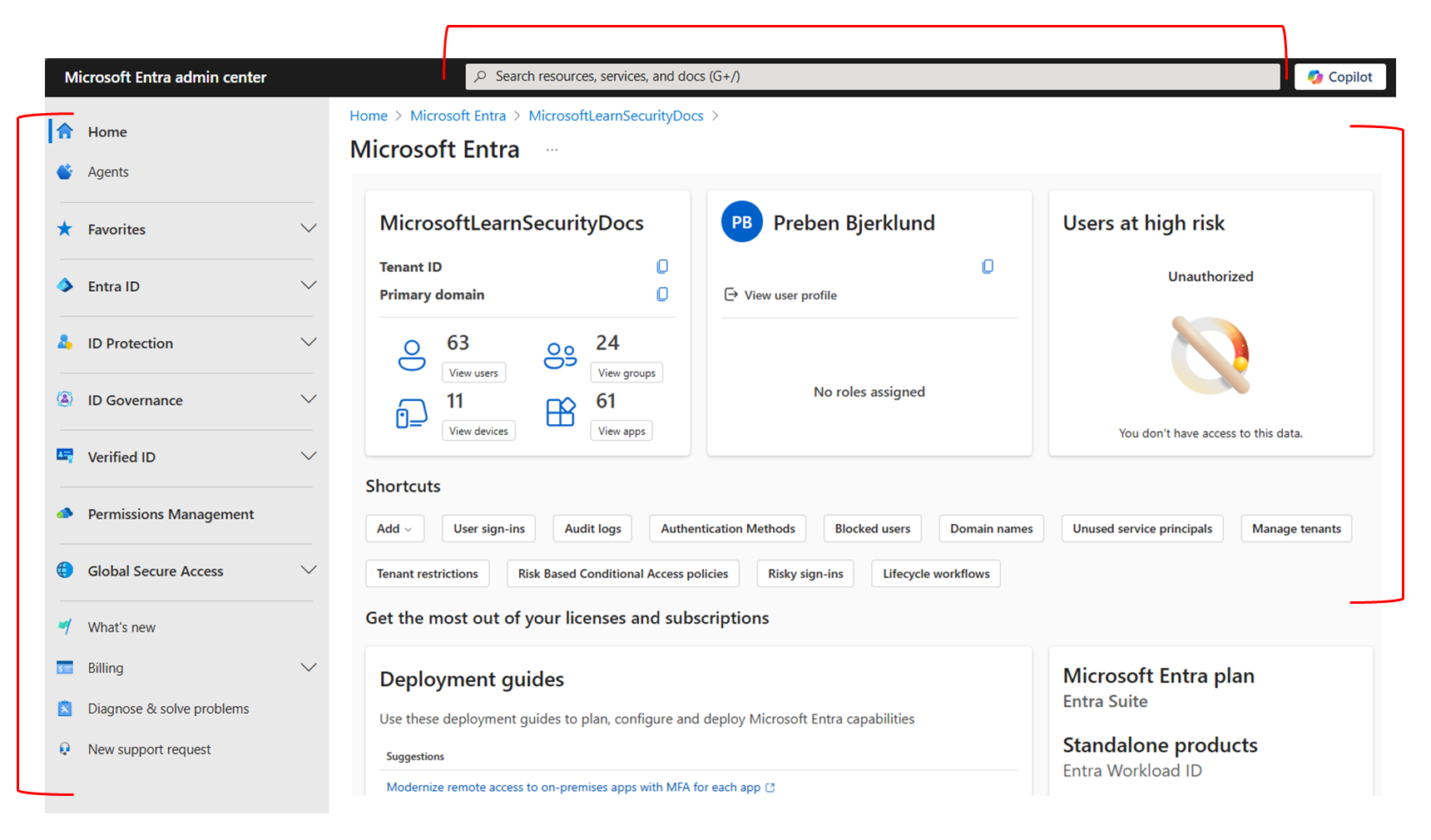
Investigation workflow for a user-access problem
- Confirm the user object exists.
- Confirm the correct account is being reviewed.
- Check whether the user is Member or Guest.
- Review group memberships that look relevant.
- Review license clues if needed.
- Note whether the issue is likely identity-first or workload-first.
- Escalate if a change is needed.
Global Reader boundary
Global Reader is strong for observation, but not every detailed identity view is guaranteed in every tenant exactly the same way. If you can’t see a specific tab or detail, do not guess. Document:
- what you expected to see
- whether the tab or field was absent
- whether a more specific role may be required
Practical note-writing example
Weak note:
User looks fine.
Better note:
Reviewed Entra ID > Users > All users for
alex@example.com. User object exists and appears as Member. Group memberships are present. No direct change could be made with current permissions. Based on the symptom, next step is to review Teams or Exchange depending on the exact failure point.
Daily assignment
Find one internal user and one guest user, if your environment has both. For each, document:
- display name
- user type
- one meaningful difference you observed
- one question you would ask if they reported an access problem
Quiz
- What kind of problem usually sends you to Entra first: identity or mail flow?
- What is the difference between a Member and a Guest in broad practical terms?
- Name three useful areas to inspect on a user in Entra.
- If the same user is having trouble in several Microsoft 365 services, which portal should become more important in your investigation?
- What should you do if a tab or detail you expected is not visible to you?
End-of-day reflection prompt
Write 6 to 10 sentences describing how Entra differs from the Microsoft 365 admin center and why both are needed.
Source notes
- Microsoft Entra admin center overview: https://learn.microsoft.com/en-us/entra/fundamentals/entra-admin-center
- Manage user profile information in Entra: https://learn.microsoft.com/en-us/entra/fundamentals/how-to-manage-user-profile-info
- Understand roles in Microsoft Entra ID: https://learn.microsoft.com/en-us/entra/identity/role-based-access-control/concept-understand-roles